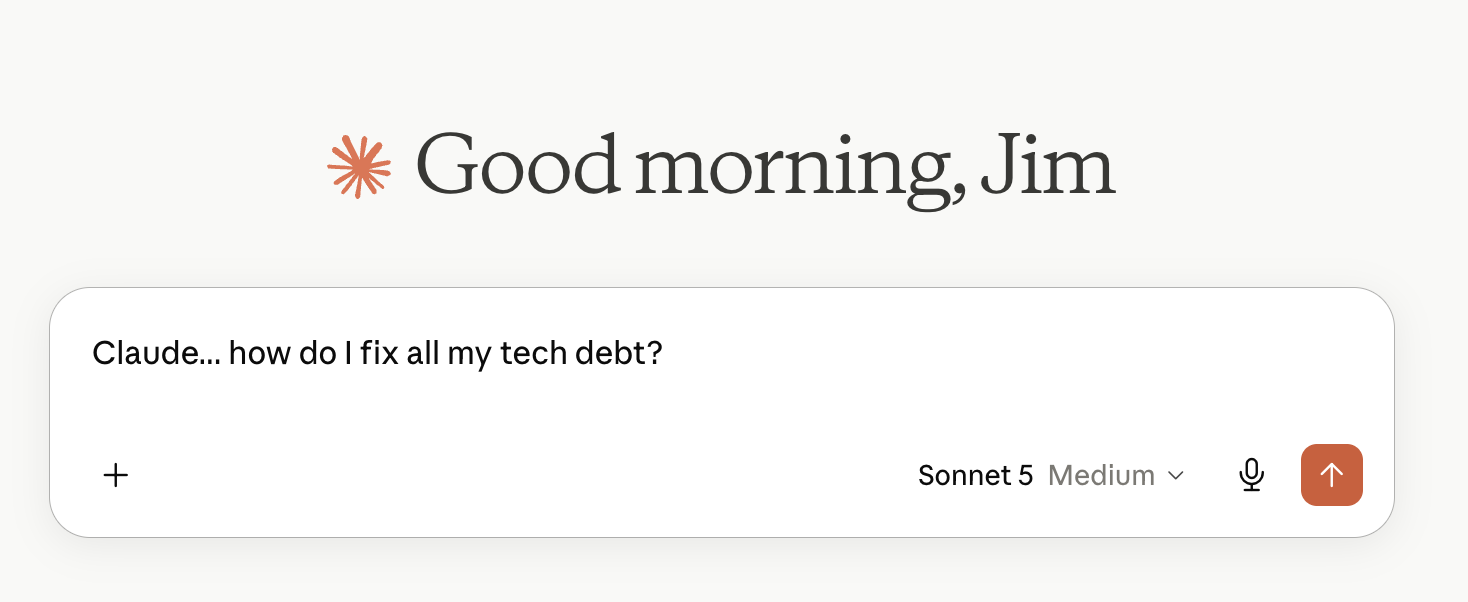
Tech Debt & Claude.ai

I’ve heard a lot of discussion about the concept of tech debt… postponing things you should do like OS upgrades on servers… lately. Particularly on the Security Now podcast, which I get through most weeks.

Over the last 3 weeks or so, I have taken a deep dive into my tech debt and it’s leaving me with a more satisfied feeling and a few best practices. So, what have I tackled?

  • Hosted Website Tech Debt
    This is the biggest debt I had. I host 4 websites on 4 Digital Ocean droplets. They are very reliable, and I haven’t really had a cause to touch them. Because, if it’s not broken, why fix it? Well, it ended up broken. The content management tool I use, WordPress, had a severe bug, so I HAD to upgrade. The problem was tech debt. All 4 of my servers were on Ubuntu 18, and I needed to be on Ubuntu 24.
    • For my this site, I chose a “create a new server and migrate” strategy. I was doing OK with that process but started struggling to make sure I had the databases moved to deliver the content. I tried to use Digital Ocean’s help system and it was giving conflicting info. So I got Claude.ai involved and that was amazing. It helped me get migrated, look at security issues. I was totally happy and had added confidence.
    • For the other 3 sites, I choose to upgrade the OS in place. That means going from 18-20-22-24. Because my versions were so old, and Digital Ocean had used custom binaries, I needed extra help. Long story short, Claude.ai helped me resolve the pointers to use the main Ubuntu distribution for the OS and mySQL, and then we rolled up and up until the sites were done.
  • Under attack
    While I was updating two of the sites, I found resource use was high. That was because a remote system was probing my sites, trying to login with known passwords. Claude.ai helped me there too. While I use secure passwords, I was able to add some geofencing, limiting the access to the login page to begin with. You can’t probe what you can’t access.
  • Stuff I built
    I did two big tech projects during Covid. One was building a Flip Dot Powered Clock. This was for me to enjoy. The other was a digital “Big Ben” for my mom that I was really proud of, because I had the hands moving on the display. Unfortunately, the guy who did these projects didn’t document a damn thing for future Jim. So I had to go back in and manage some things.
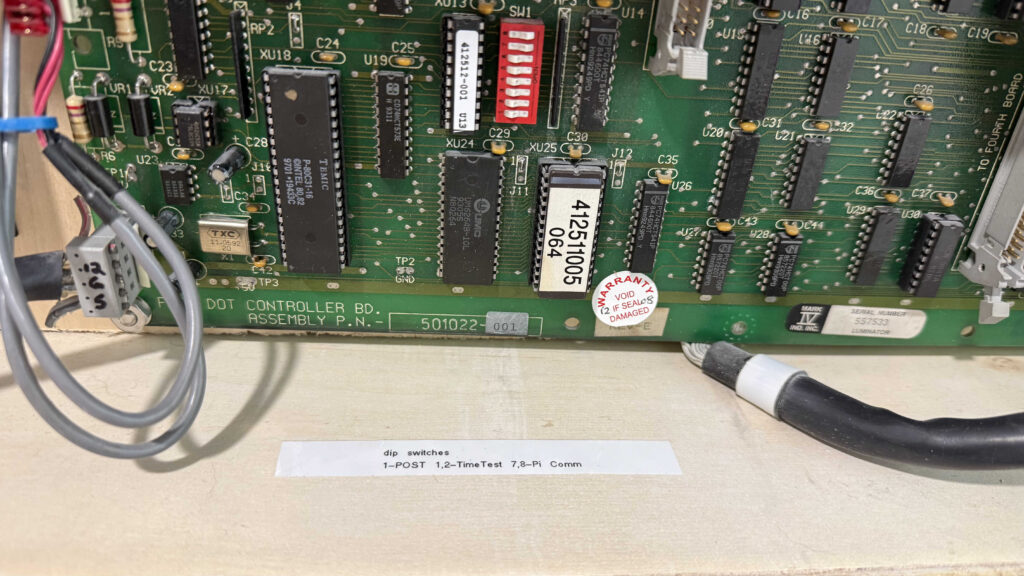
    • For the Flip Dot, it was about configuration of the equipment. It’s very dependent on dip switches for addressing. If you don’t have the switch right, the device ignores the data you sent. I didn’t write anything down, and so I didn’t have the right settings after something got flipped. Now, future Jim can easily find the settings:
On the Big Ben clock, it was more of a wholistic upgrade. I needed to make more of a vision-friendly high-contrast clock with just the digits, but retain the sound scheme of the quarterly and hourly chimes. I envisioned moving the Pi’s SD card to a new pi and enclosure and just tweaking some HTML. Because the new enclosure was very finicky about it’s handshake with the HDMI connection on the pi, there was a LOT of testing and troubleshooting. Ultimately, again thanks to some coaching from Claude.ai, I made it work.

  • A nice enhancement

    So, I know basic instructions on how to use Raspberry Pi’s and I have build some fun projects. One of them involves running an APRS igate using an SDR receiver. I built it with a little terminal screen so I could watch the data, but I was never happy with how it worked.
    I used Direwolf, which comes with a start up and keep alive script, but it didn’t fit with my small screen. This was an easy lift for Claude.ai. After a little interactive discussion about what I wanted, here’s the code we came up with to run in /home/pi/.bash_profile :
if [ "$(tty)" = "/dev/tty1" ]; then
    # Wait up to 60 seconds for the APRS-IS server port to be reachable
    for i in $(seq 1 30); do
        nc -z -w2 noam.aprs2.net 14580 >/dev/null 2>&1 && break
        sleep 2
    done

    LOGFILE=/home/pi/dw-start.log

    while true; do
        echo "$(date): Starting Direwolf" >> $LOGFILE
        bash -c 'rtl_fm -f 144.39M - | direwolf -c sdr.conf -r 24000 -D 1 -'
        echo "$(date): Direwolf exited, restarting in 60 seconds" >> $LOGFILE
        sleep 60
    done
fi
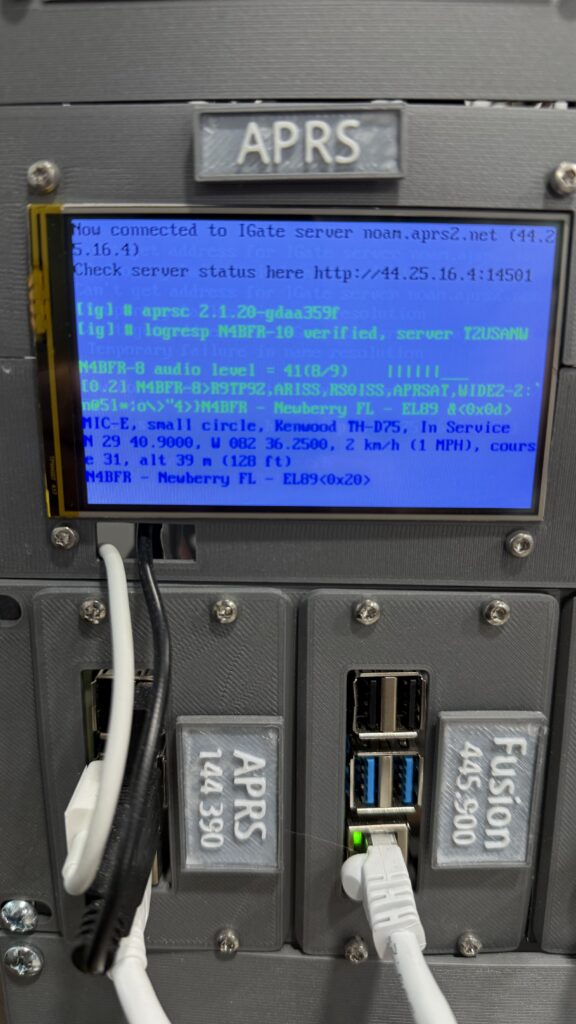
It’s not going to be for everyone, but it’s PERFECT for me. I think that’s what I like about using AI for these items. It’s bespoke to my application, and, so far, had allowed me to do the things I want with less complexity.

So, tech debt bad, AI helpful.
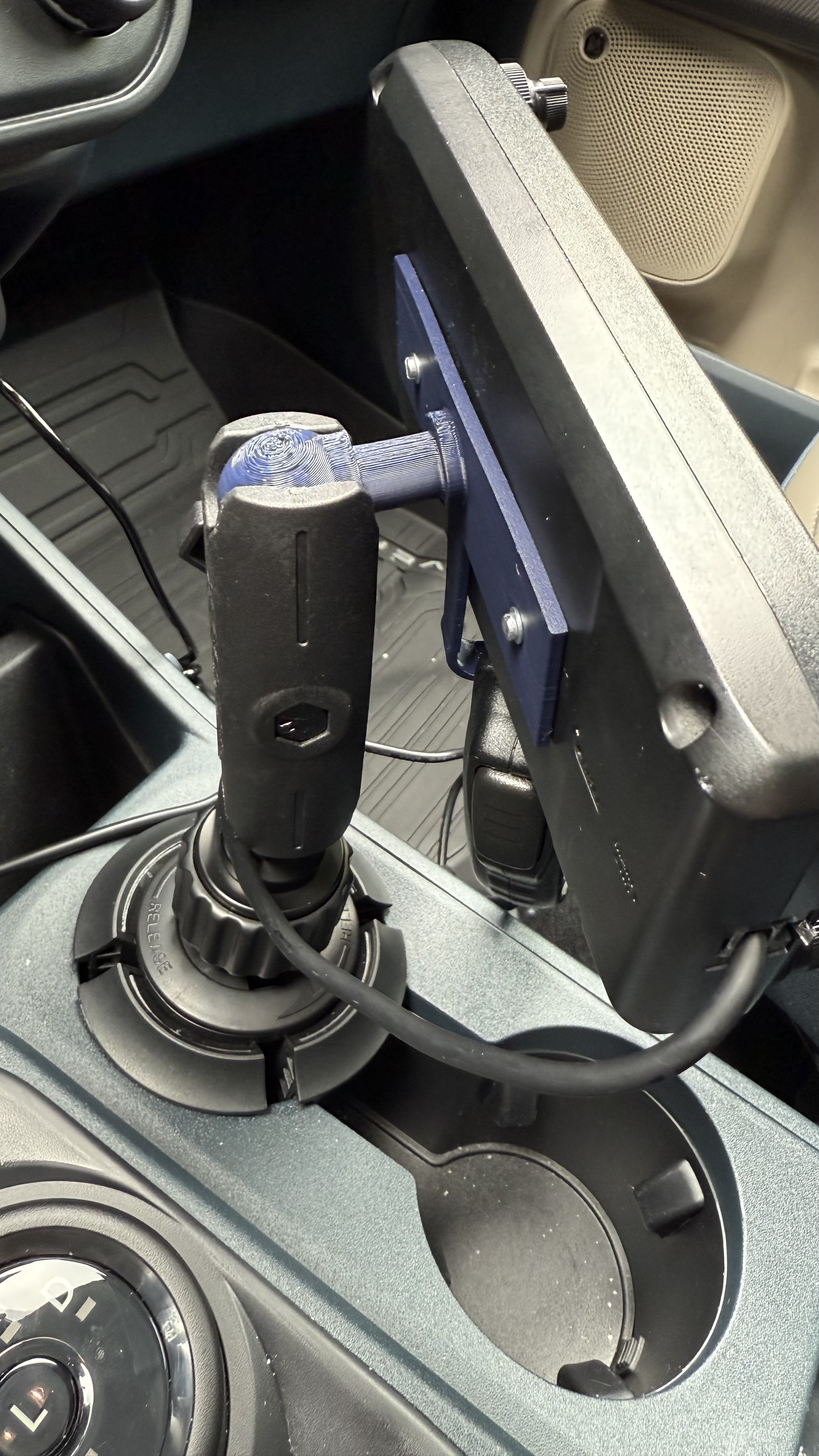
3D Printed Icom IC-5100 Ball Mount

I made a thing! I needed a way to mount the head unit and microphone for my ICOM IC-5100 radio in my truck. I’m not into making holes in the vehicle, so I chose to use a cup-holder mount. I had one handy, but didn’t have the mounting for this particular head unit. I knew I could 3D print one, but I didn’t find one I liked. So, I made my own.

https://www.thingiverse.com/thing:7066551

Now it’s available for anyone to download, and I have something to use in the truck!

Lunar Eavesdropping, Curious Marc, and Tracking Artemis 1 Via RF

Originally published 27-August-22 at 5:00 PM ET
Updated 28-August-22 at 12:25 PM ET

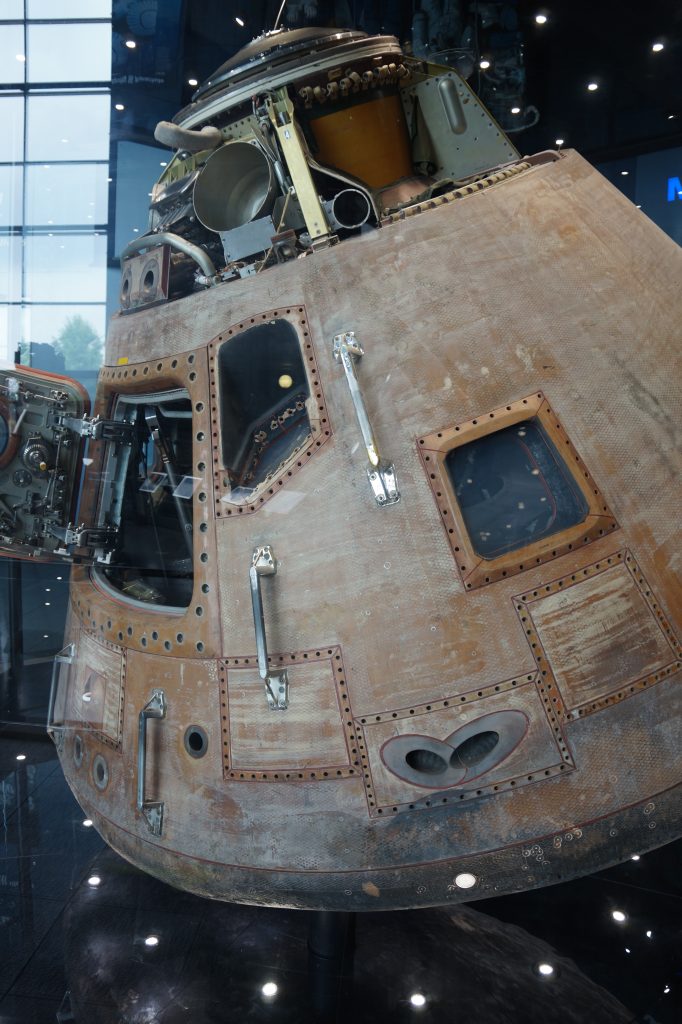
Apollo 16 Command Module “Casper” at Space and Rocket Center in Huntsville, AL – Picture by N4BFR

Back in the days of Apollo, hams were listening in to Apollo 11 and other space flights. An article entitled “Lunar Eavesdropping” from the ARRL talks about how a couple of hams listened in on Apollo 11, and outside of getting a 10 second head start on the rest of the world, made it work but didn’t hear anything unique.

Over the last few months I’ve watched as Curious Marc on YouTube, known as AJ6JV in Ham Radio circles, has completely reconstructed signals from the Apollo gear in his basement. It’s been fascinating to understand the “RF Black Arts” as he says, of the really complex ways the capsules and LEM sent back their signals in a multiplexed method of FM and PM data. One thing I noted that this frequency range was around 2.287 GHz, in the “S-Band” frequency range.

NASA has had 50 years to be more sophisticated with it’s communications. It now breaks down comms into their “Near Space Network” which handles the communications around the globe, and the “Deep Space Network” which handles communications beyond earth orbit.

I’ve spend the last few hours going through documents on the NSN from as far back as 2000 and from what I can tell, they still primarily use S-Band frequencies. Here’s an example of frequencies listed in a doc related to Wallops Island, VA – part of the NSN.

11.3M Antenna (WGS 11.3M)
  TX 2.025 Ghz to 2.120 GHz 
  RX 2.220-2.400 GHz (S-Band)
     8.025-8.400 GHz (X-Band)
  Modes: PM, FM, BPSK, QPSK, 

4.7M Antenna (LEO-T)
  TX 2.025-2.210 GHz
  RX 2.200-2.300 GHz

So, there may be something there to trying to pick up some Artemis 1 or NSN signals while it’s in near Earth orbit on Monday. I do have some omni-directional 2 GHz receive coverage with an SDR. My mission would be to capture anything unique and record it for later analysis, though I expect it to be encrypted, since SpaceX encrypted their telemetry feeds after hams started to listen in.

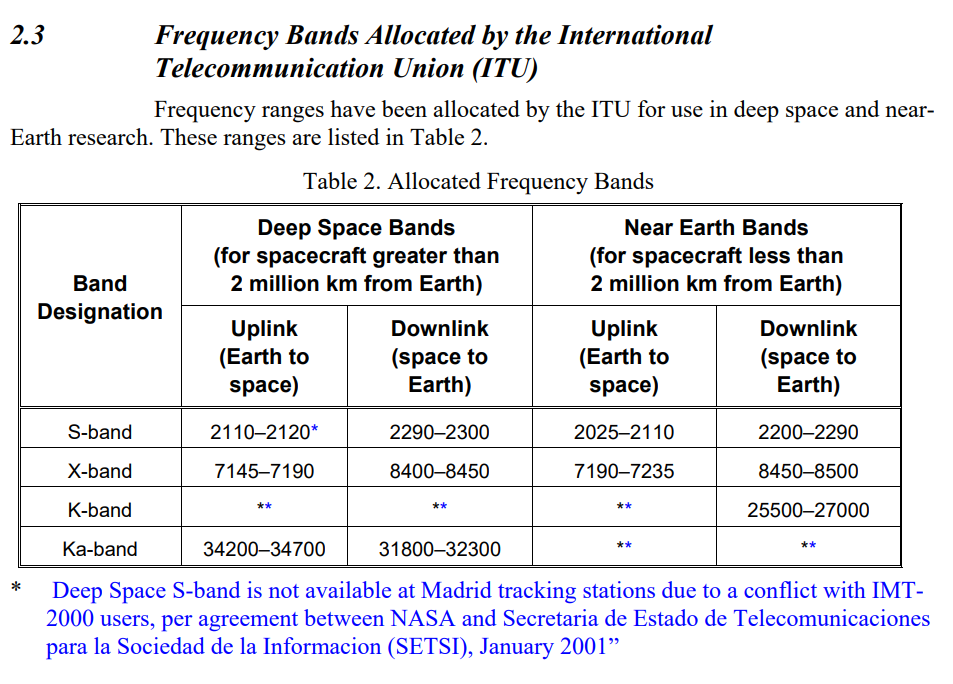
About 2.5 hours after launch, Artemis 1 will start toward the moon and switch to the DSN according to NASA PR data. (Update: On the 8/27 media conference they mentioned this was right after the TLI event and could be 90 minutes in to the mission) DSN also has S-Band communications but needs to use X-Band or higher at least part of the time according to this JPL document:

X-Band, K and Ka-Bands are out of my range at the moment, but I will be checking in on the S-Band segment from time to time. If I was communicating, I probably wouldn’t be turning radios on and off, but instead looking at simulcasting the streams.

So, lots of fun to be had this week as I begin a look to peek at space comms! If you have something to add or share, hit me up on Twitter @N4BFR or on Facebook.

What software do you put on a fresh PC?

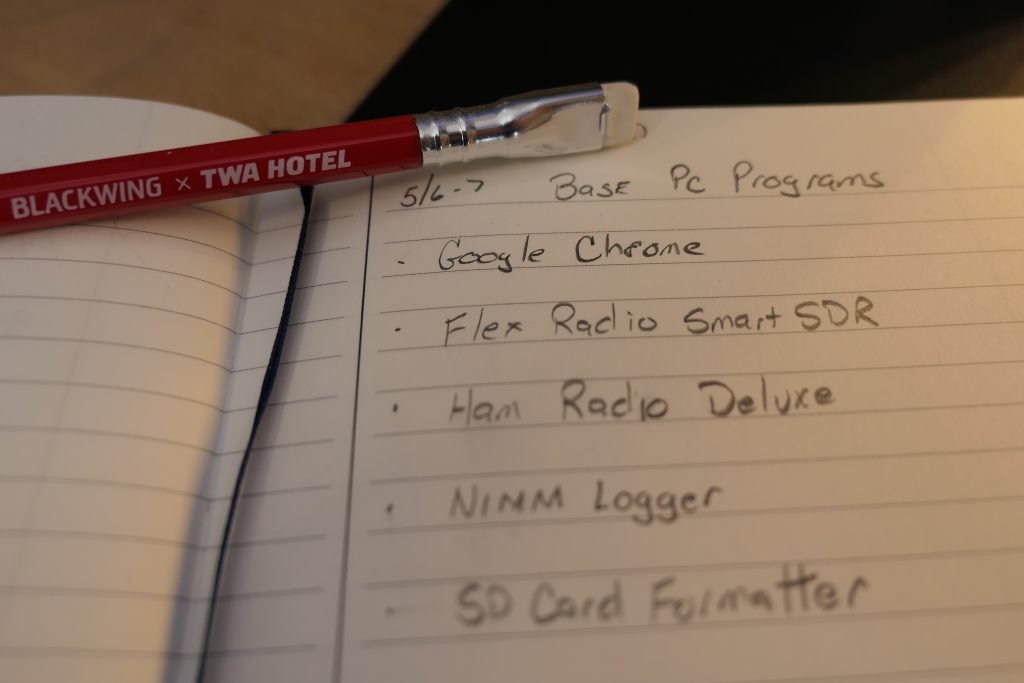
I decided after 3 years and a few weird errors here and there it was time to refresh the copy of my Windows 10 on my main desktop PC in the ham shack. (I know, I have Linux and Mac here too!) After keeping a list for a few days, here’s what I use most.

Making a list and checking it twice

Google Chrome
I like Chrome for browsing and I use many of the other Google features like Sheets, Drive and Photos, so this all stays integrated. Since it keep my logins and history across all my different machines, this is the universal tool for me.

It’s a Ham Shack, So…
One of the reasons I chose this particular PC (ASUS ROG GR8 II) is that it was powerful enough to run my Flex 6500 graphically, and let me multitask. Here’s where I start from a ham perspective:

  • Smart SDR for Windows. I upgraded to the latest version, 3.1.11 which gave me a radio software upgrade as well.
  • N1MM Logger Plus Well integrated with the Flex, this is my go-to logging software for any contest I do, plus it puts the DX spots on my Flex spectrum to find-em fast.
  • Ham Radio Deluxe Why two loggers? Well HRD is more than my logger, it’s how I do digital and Logbook of the World (yes, I have TQSL as well.) It’s my non-contest, everyday QSO software.
  • Audacity I could have put this with other PC items, but mostly what I use it for is recording my radio items like strange Shortwave signals and it’s a great non linear audio editor.

As I go along I will add items like software for programming my ICOM and Kenwood radios, but not until I need them.

Graphics and Video
I’ve been enjoying making blogs and YouTube videos since I have been retired. I use at least one of the next 3 daily it seems.

  • GIMP – The Gnu Image Manipulation Program – Lousy name, great free and open source replacement for Photoshop or other graphical editors. It’s cross platform too, so I can use it on my Mac and Linux machines as well.
  • Blender – This one was controversial when I posted about it as a video editor. I learned non-linear video editing about 25 years ago, and this felt comfortable to my experience level. Plus if I want to learn more 3D rendering, it’s there. Again it’s free, open source, and multi-platform so I get to learn once and use anywhere.
  • Streamlabs OBS – When I want to do a YouTube live show, I use Streamlabs OBS. Look at that, free and open source and multi-platform again. There’s a theme here. It’s very easy to use and I was really please that it had saved my scenes across-installs so I could just click and go.

Raspberry Pi
I don’t need a lot of software for Pi because most of what I do is related to programming on the devices themselves. But I need something to handle writing images to MicroSD cards and creating backups. Win32DiskImager is my tool. While I primarily use it for the MicroSD, I have written ISO’s to a USB card with it in a pinch. Pick a drive, read or write from it. It is that simple. To clean those cards, the SD card association supplies a formatter.

So that’s it, the first 11 programs (don’t call them apps on a PC, just, no) on my clean desktop. I’m off to make some contacts!

Metro Atlanta Ham Radio and Covid-19

As of 02-Apr-20 19:55 EDT

I thought I would capture some of the major notes related to Amateur Radio and the Corona Virus in one place for Metro-Atlanta. Amateur Radio Newsline has a international list on their Facebook page.

Ongoing

  • GA ARES will have nightly nets at 1900 Local, 2300 UTC.
    • D-Star net on Reflector 30B Monday, Wednesday and Friday
    • HF Net on 3.971 MHz with 3.923 MHz alternate – Tuesday, Thursday and Saturday

Upcoming

  • Georgia QSO Party CHANGES
    • Saturday 4/11 only 1600-0400Z (Noon-Midnight Local)
    • No Rovers
    • Multi-Op only for Virtual Radios or Multi-Ham Homes
  • Weekly Georgia DMR net Wednesdays at 8 PM on TG 3113
  • 2020 SVHFS Conference Postponed (was April in Gainesville)
  • Dayton Hamvention (May) is cancelled for 2020
  • Atlanta Hamfest is tentatively on for June 6 – Cobb County is currently using the location for drive-through COVID-19 testing.

Historical

  • Atlanta Radio Club meeting for Thursday 4/2 Cancelled but special net at 7 PM
  • North Fulton held virtual meeting 3/17
  • GARS Workshop on 3/17 was postponed.
  • Atlanta Radio Club Friday lunch cancelled 3/13
  • North Fulton 3/14 VE Session Cancelled
  • North GA QRP (NOGA) Meeting cancelled

If I missed anything or if there are any updates, email me at (mycall) @ arrl.net.

The Atlas 5 Launch Experience

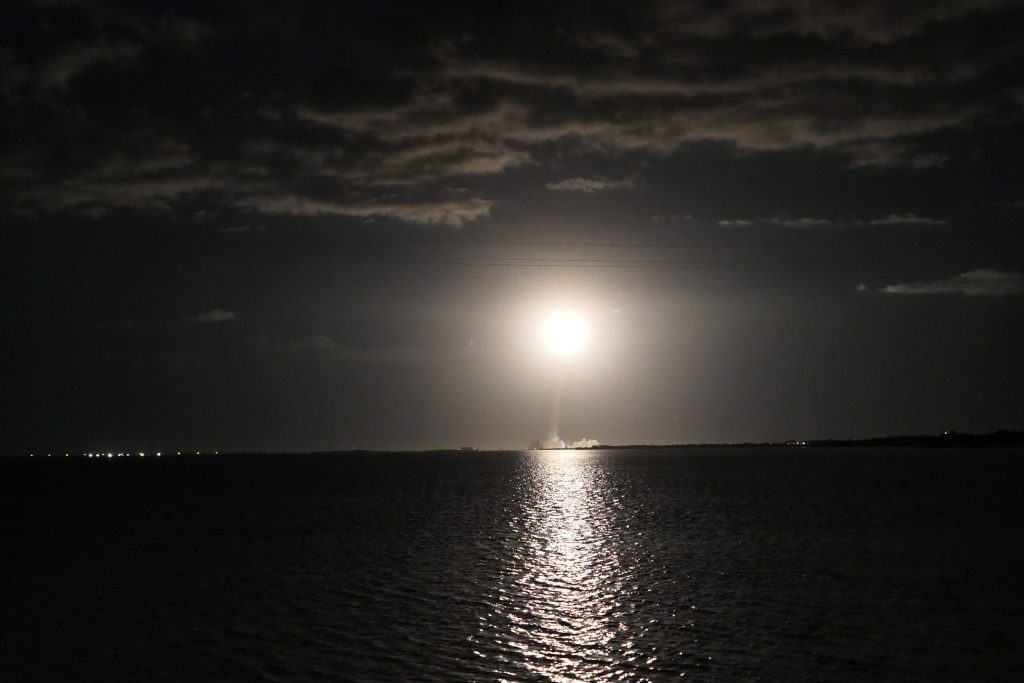
ULA Atlas 5 with Solar Orbiter – February 2020 by N4BFR

I really enjoyed going to a night launch on the Space Coast on Feb. 9. United Launch Alliance shot a Solar Orbiter for ESA that will map close to the solar poles for the first time. Cool science is coming!

I used this an an experiment to photograph a bunch of different ways. 4 cameras ended up in this final video. My Sony A58 shot the launch in HD, I used my Panasonic Lumix to shoot the rocket gliding under the moon, I used a small “Action Cam” to get a time lapse of the launch, and finally my iPhone shot the selfie videos.

One shot that didn’t make it was a 4K Vertical Launch shot. I started the camera with about 2 minutes to go, but when I adjusted its placement I bumped it. No recording. Good thing I had some redundancy!

From the Radio Side, I listened to the launch on the K4GCC 146.94 repeater, who simulcast the launch audio for every launch via a phone patch. (Well it was a phone patch the two times I heard it). I also attempted to listen to the CCAFS traffic via a scanner. I was able to hear some KSC gate discussions, but no operational audio related to the launch. Something to try for next time!